• Deutsch
  • English
  • Anmeldung OTOBO Community
+49 (0)9427 68 39 000
OTOBO
  • SOFTWARE
    • Software | Überblick
    • IT Service Management
    • Customer Service Management
    • Enterprise Service Management
    • Demo
    • Download
    • Dokumentation
  • SERVICES
    • Überblick Services
    • Beratung
    • Training
    • Entwicklung
    • OTRS Migration zu OTOBO
    • Support
    • Managed Service
    • Support-Portal
  • UNTERNEHMEN
    • Über uns
    • Karriere
    • Partner
    • Kontakt
    • Newsletter
  • RESSOURCEN
  • COMMUNITY
    • Open Source
    • Community Forum
    • Download
    • Dokumentation
    • OTOBO übersetzen
  • Click to open the search input field Click to open the search input field Suche
  • Menü Menü
Ansicht von 4 Antwort-Threads
  • Autor
    Beiträge
    • 18. August 2021 um 19:58 Uhr - Views: 1385 #11850
      possebon Fernando
      Teilnehmer

        When Customer Users attach files on ticket, before submit the ticket, the file is shown.

        User submits the ticket, no error messages.

        If user look at ticket or an agent look the ticket, there is no attachment there.

        I tried to find some information on httpd error log, but nothing is reported there.


        Best regards,

      • 30. September 2021 um 15:47 Uhr #11984
        dimitry-wyczakowski
        Teilnehmer

          I’m also having this issue, same approach : user’s files are visible before submitting the ticket, but once submitted, they disappear and are nowhere to be found.

          Also, if an agent attach a file to an answer, the file appears without any problem.

          Does anybody have a fix or lead to a solution ? Would be appreciated !

          Thanks in advance

        • 30. September 2021 um 16:26 Uhr #11985
          Giordano Torre
          Teilnehmer

            Good Evening,

            I haven’t this problem..

            I have installed otobo 10.0.12 docker.

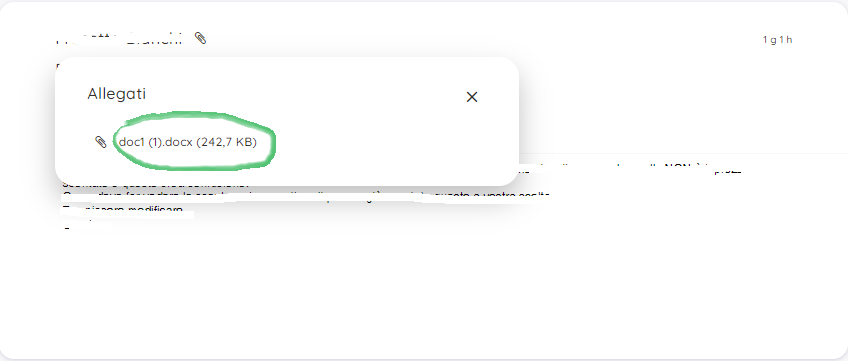
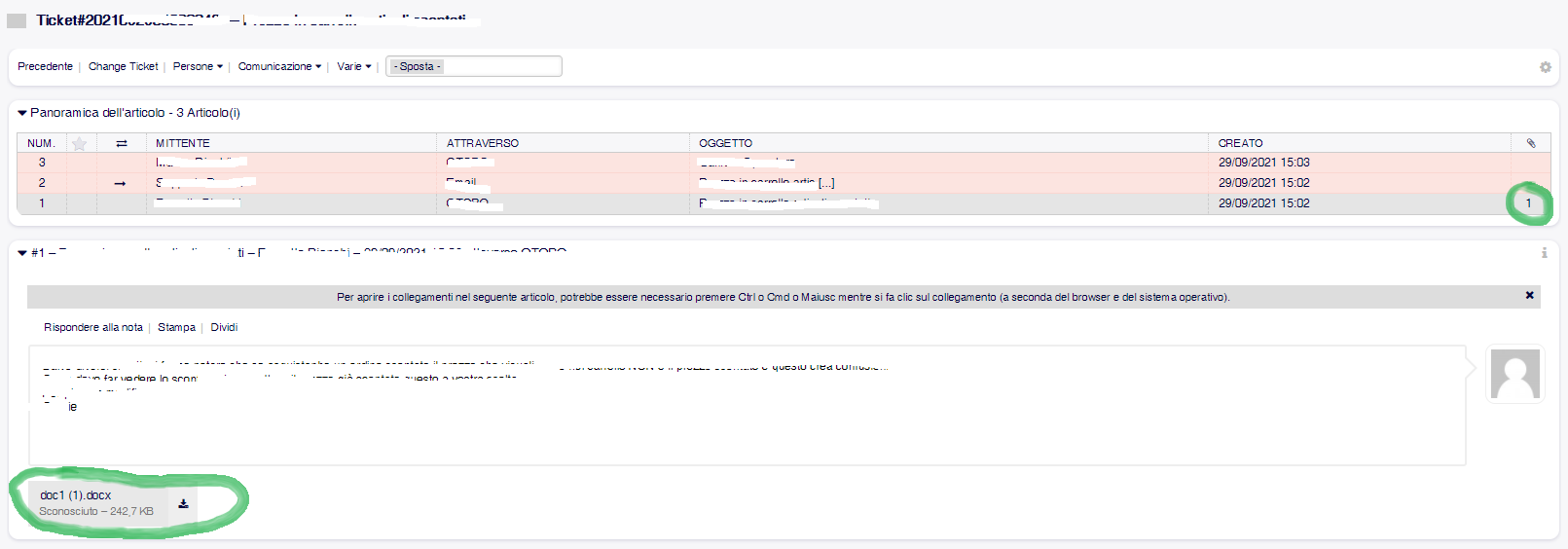
            Customer user view:

            Agent view:

            Best Regards

          • 17. Oktober 2021 um 15:45 Uhr #12035
            possebon Fernando
            Teilnehmer

              I solved the issue, in my instance I’ve changed the Apache configuration to remove the /otobo from URL and create different endpoints for each view:

              • servicedesk.domain.com – for the agent view
              • support.domain.com – for the customer user view

              The configuration was working almost perfect, the only two issues I identified:

              • Customers attachments when opening ticket was not saved.
              • When changing some Sysconfig parameter and deploying the changes, the system lost the session forcing me to login again.

              The misconfiguration was on ScriptAlias parameter. The default value is /otobo and since I remove that on Apache config I need to reflect it on Sysconfig either.

              I cleared the value of ScriptAlias and now everything is working as expected.

            • 18. Oktober 2021 um 10:31 Uhr #12037
              bes
              Teilnehmer

                Hi Jose,

                I checked where ScriptAlias is used in OTOBO. The setting is mostly used in Cookies and when assembling some links. The connection to attachments is not obvious.

                But I’m wondering about another thing. In your initial setup ScriptAlias was set to „otobo/“ but your index.pl URL does not contain „/otobo/“.  I would have guessed that login should have not worked at all, as cookies are only sent back to the server when the path matches. Did you need to make any adaptions to make that work?

                Best regards,

                Bernhard


            • Autor
              Beiträge
            Ansicht von 4 Antwort-Threads
            • Du musst angemeldet sein, um auf dieses Thema antworten zu können.

            Foren durchsuchen

            Anmeldung

            Anmeldung

            Konto erstellen
            Passwort vergessen?

            Login via Social

            Profil

            Bitte vervollständigen Sie nach der Registrierung Ihr Profil, das vereinfacht die spätere Kommunikation enorm. Ihre Profileinstellung finden Sie, wenn Sie auf Ihr Avatarbild klicken.

            Sie können Ihren Avatar ändern, indem Sie sich mit Ihrer E-Mail-Adresse unter gravatar.com registrieren.

            Letzte Aktivitäten

            • Mandantenfähigkeit
            • Dynamische Felder in AgentTicketNote mit ACL verstecken
            • FAQ: kaputtes Copy & Paste von Bildern zwischen Artikeln
            • Benachrichtigung „Ticket wurde mir entzogen“ möglich?
            • Statistik Anzahl Tickets pro Agent

            Unternehmen

            Über uns
            Karriere
            Stellenbörse
            Partner werden
            Kontakt
            Newsletter

            OTOBO | Simplify work and create exceptional service experiences.

            Die Source Code Owner und Maintainer hinter OTOBO.

            Software

            Service Management-Plattform
            OTOBO Demo
            OTOBO Download
            OTOBO Dokumentation

            Security-Problem melden:
            security@otobo.org

            Services

            Support-Portal
            Beratung
            Training
            Support
            Managed Services
            Erweiterung
            OTRS Migration
            Partner finden

            Community

            Open Source
            Community Forum
            Mitmachen
            OTOBO Developer
            OTOBO@GitHub

            © 2026 Rother OSS GmbH | All rights reserved.
            • Cookie-Einstellungen
            • Impressum
            • Datenschutz
            • Haftungsausschluss
            Nach oben scrollen Nach oben scrollen Nach oben scrollen